
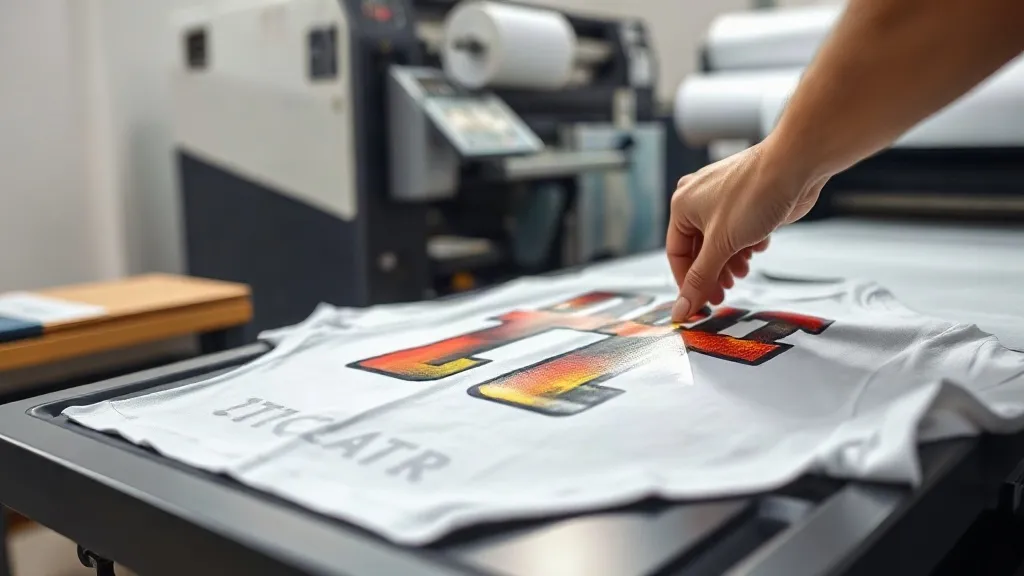
You have probably experienced it: you pull a shirt off the press, and the dtf transfers that looked perfect in the design file now shows a hairline crack along the edge. Or maybe the colors look washed out, or the transfer peels up after the first wash. These issues are frustrating, but they are also predictable and fixable. In this guide, we will go through the most common problems with dtf printing and show you exactly how to diagnose and solve them, so you can get consistent, professional results.
Why DTF Prints Fail: The Usual Suspects
Before diving into specific issues, it helps to understand the variables that affect DTF transfer quality. The process involves printing a design onto a special film with water-based inks, applying a thermoplastic polyurethane (TPU) powder, curing the powder, and then heat-pressing the film onto fabric. Each step has a narrow window of ideal conditions. When something goes wrong, it is usually due to one of these factors:
- Moisture: Environmental humidity or damp fabric can interfere with ink adhesion and powder curing.
- Temperature and pressure: Incorrect heat press settings lead to poor transfer or damage.
- Powder application: Too much or too little powder causes incomplete coverage or excess residue.
- Curing: Under-cured powder results in washing off; over-curing makes the transfer brittle.
- Film handling: Touching the printed area or storing film improperly can introduce defects.
Keep these in mind as we troubleshoot specific symptoms.
Problem: The Transfer Cracks After Washing
Cracking is one of the most common complaints. You press a design, it looks great, but after a few washes, fine lines appear, especially along the edges or where the fabric stretches. Cracking usually points to an issue with the transfer film itself or the way it was applied.
Possible Causes and Fixes
- Over-stretching during pressing: If you stretch the fabric too much when pressing, the transfer film can crack when relaxed. Fix: Press with minimal tension, just enough to keep the garment flat.
- Insufficient pressure: Low pressure prevents the adhesive from fully bonding, leading to micro-cracks. Fix: Increase pressure to the recommended level (usually medium to firm).
- Under-cured powder: If the TPU powder is not fully melted, the transfer remains fragile. Fix: Ensure curing temperature and time are correct (typically 160-170°C for 60-90 seconds).
- Poor quality film: Some films are more prone to cracking. Fix: Use a reputable brand and store film in a cool, dry place.
If you have tried these fixes and still experience cracking, consider switching to a higher-quality dtf transfers supplier. The film and powder quality make a significant difference.
Problem: Colors Look Faded or Dull
You expect vibrant colors, but the final print looks washed out. This can happen for several reasons, often related to ink or powder.
Possible Causes and Fixes
- Ink starvation: If the printer nozzles are partially clogged, less ink is deposited. Fix: Run a nozzle check and clean the printhead as needed.
- Incorrect powder application: Too much powder can dull the colors. Fix: Apply powder evenly and shake off excess gently.
- Over-pressing: Excessive heat or time can cause the ink to spread or fade. Fix: Follow the recommended press settings for your film and fabric.
- Fabric color: Printing on dark fabrics requires a white ink layer; if the white layer is too thin, colors appear muted. Fix: Ensure sufficient white ink coverage.
Always do a test print on a scrap piece of fabric to verify color vibrancy before pressing onto a final garment.
Problem: Transfer Peels Off After Washing
If the transfer lifts at the edges or comes off entirely, the adhesive did not bond properly. This is often due to moisture or insufficient pressing.
Possible Causes and Fixes
- Moisture in fabric: Always pre-press the garment to remove moisture. Fix: Pre-press for 5-10 seconds at 150°C.
- Insufficient pressure or time: The adhesive needs enough heat and pressure to flow into the fabric. Fix: Increase pressure and ensure you press for the full recommended time.
- Pressing on the wrong side: Ensure you are pressing the film side against the fabric, not the carrier side.
- Cooling too quickly: Let the transfer cool completely before peeling the film. Fix: Wait until it is cool to the touch (cold peel) or follow the film's instructions.
Also, check that your heat press is actually reaching the set temperature. Use an infrared thermometer to verify.
Problem: Powder Not Melting Properly
After applying powder, you cure it with heat to melt the TPU particles into a continuous film. If the powder remains granular or patchy, it won't adhere correctly.
Possible Causes and Fixes
- Uneven powder application: Too thick a layer prevents even melting. Fix: Apply a thin, even coat and shake off excess.
- Incorrect curing temperature: If the heat source is too cool, powder won't melt. Fix: Use a heat gun or oven at the recommended temperature (usually around 160-170°C).
- Humidity: Moisture in the powder can affect melting. Fix: Store powder in an airtight container and work in a dry environment.
- Film incompatibility: Some films require specific powder types. Fix: Use the powder recommended by your film supplier.
Invest in a infrared thermometer to check the actual temperature of your curing device.
Problem: Film Wrinkles or Bubbles During Pressing
Wrinkles or bubbles in the transfer film can ruin the final appearance. They often occur during pressing due to improper handling.
Possible Causes and Fixes
- Film not flat: If the film curls or has creases, it won't press evenly. Fix: Store film flat and handle carefully.
- Trapped air: Pressing without enough pressure can trap air. Fix: Use firm pressure and consider a press with a bladder or foam pad.
- Pressing too fast: Rapid closing of the press can shift the film. Fix: Close the press smoothly and allow the transfer to settle.
If wrinkles persist, try pressing the film lightly with a Teflon sheet on top to smooth it out before the final press.
Prevention Tips for Consistent Results
Many issues can be avoided with good habits. Here are some best practices:
- Control your environment: Keep humidity between 40-60% and temperature stable.
- Pre-press garments: Always pre-press to remove moisture and wrinkles.
- Use quality supplies: Cheap film and powder can cause endless problems. Invest in reputable brands.
- Maintain your printer: Regular cleaning and maintenance prevent ink issues.
- Test and record: Keep a log of settings for different fabrics and designs, and always do a test print.
If you are looking for reliable dtf transfers near me, choose a supplier that provides consistent quality and technical support.
Frequently Asked Questions
Why do my DTF transfers crack after washing?
Cracking is usually caused by insufficient pressure during pressing, under-cured powder, or over-stretching the fabric. Ensure your press settings are correct and the powder is fully melted.
How can I make DTF colors more vibrant?
Check that your printer nozzles are clean, apply powder evenly without excess, and press at the correct temperature. For dark fabrics, ensure a thick enough white ink layer.
What causes DTF transfers to peel off?
Peeling often results from moisture in the fabric, insufficient pressure or time, or peeling the film too soon. Always pre-press the garment and let the transfer cool completely before peeling.
Can I use DTF transfers on cotton and polyester?
Yes, DTF transfers work on both cotton and polyester, as well as blends. However, settings may need adjustment for different fabric types.
How do I store DTF film to prevent issues?
Store film in a cool, dry place away from direct sunlight. Keep it flat to avoid creases, and avoid touching the printed area.