
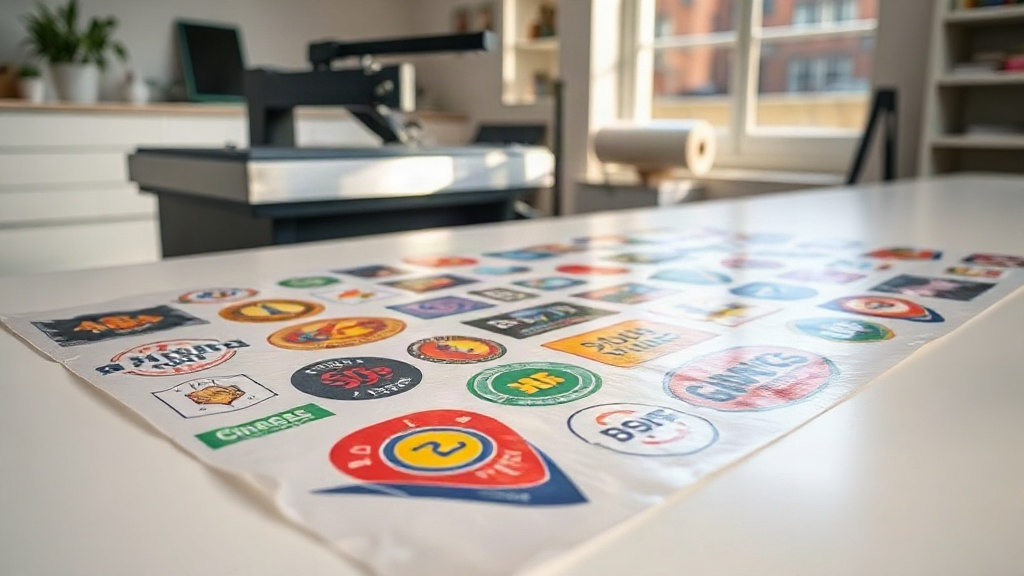
In the world of custom apparel and heat transfers, efficiency and cost-effectiveness are paramount. Whether you run a small print shop or a large-scale operation, the method you choose for producing transfers can make or break your bottom line. Enter the DTF gangsheet – a game-changer that has quickly become a staple in the industry. If you're not already familiar with this powerful tool, you're missing out on a way to maximize your production and minimize waste. In this comprehensive guide, we'll dive deep into what a DTF gangsheet is, why it's essential, and how to leverage it to its full potential. Let's get started.
What is a DTF Gangsheet?
At its core, a DTF gangsheet is a large sheet of DTF (Direct to Film) transfer paper that contains multiple designs printed in a single layout. Instead of printing each design individually, you arrange them efficiently on one sheet, maximizing the use of space and reducing material waste. This approach is similar to gang printing in traditional offset printing, where multiple jobs are combined on one sheet to save time and resources.
DTF printing itself involves printing your design onto a special film using a DTF printer, applying a powder adhesive, and then curing it. The result is a transfer that can be heat-pressed onto various fabrics, including cotton, polyester, and blends. The DTF gangsheet takes this process a step further by allowing you to print many transfers at once, which is especially beneficial for businesses that handle a high volume of orders or need to produce multiple sizes of the same design.
How Does a DTF Gangsheet Work?
Creating a DTF gangsheet involves a few key steps:
- Design Preparation: You'll need to prepare your artwork. This means ensuring each design is sized correctly and saved in a compatible format (usually PNG with transparent background).
- Layout Creation: Using specialized software or the tools provided by your DTF supplier, you arrange your designs on a virtual sheet. The goal is to fit as many designs as possible without overlapping and while maintaining a small gap between them for cutting.
- Printing: The gangsheet is printed onto DTF film using a DTF printer. The printer lays down the ink and then the adhesive powder is applied.
- Curing: The sheet goes through a curing process, often using a heat press or a dedicated curing oven, to melt the powder and set the ink.
- Application: Once cured, you cut out each design and heat press it onto your garment.
This process allows you to produce a large number of transfers in one go, saving time and reducing the per-unit cost.
Why Use a DTF Gangsheet? Key Benefits
The popularity of DTF gangsheets isn't just hype; they offer tangible benefits that can significantly impact your business. Here are the main advantages:
- Cost Efficiency: By maximizing the use of each sheet of film, you reduce waste and lower your material costs. The savings can be substantial, especially for high-volume orders.
- Time Savings: Printing multiple designs at once means less setup time and faster production. You can complete large orders in a fraction of the time compared to printing each design separately.
- Consistency: When you print multiple copies of the same design on one sheet, you ensure consistency in color and quality across all transfers.
- Versatility: You can mix different designs, sizes, and even different garments on a single gangsheet, making it perfect for custom orders or sample packs.
- Scalability: Whether you need 10 transfers or 1,000, gangsheets scale with your needs. You can easily adjust the quantity and layout.
For businesses that offer custom apparel, such as t-shirt shops, sports teams, or promotional product companies, DTF gangsheets are a no-brainer. They allow you to offer competitive pricing while maintaining high quality.
How to Create an Effective DTF Gangsheet
Creating a DTF gangsheet that is both efficient and high-quality requires careful planning. Here are some best practices to follow:
1. Optimize Your Layout
The key to a successful gangsheet is efficient nesting. Arrange your designs so that they fit together like puzzle pieces, minimizing empty space. Rotate designs if necessary to fill gaps. Most DTF printing software includes auto-nesting features, but manual adjustments can often yield better results.
2. Maintain Proper Spacing
Leave a small gap (usually 2-3mm) between designs to make cutting easier and prevent ink bleeding. If designs are too close, you risk cutting into the neighboring transfer.
3. Consider the Grain of the Film
DTF film has a grain direction, and printing designs aligned with the grain can improve adhesion and durability. However, this is a minor detail that most printers can ignore without significant issues.
4. Use High-Quality Artwork
Since DTF transfers can capture fine details, ensure your artwork is high resolution (300 DPI or higher) and has transparent backgrounds. This will result in crisp, vibrant transfers.
5. Test Your Layout
Before printing a full gangsheet, consider printing a small test sheet to check color accuracy and alignment. This can save you from wasting a large sheet due to errors.
Many DTF suppliers, including dtftransferspress.com, offer online tools to help you create gangsheets. These tools often include templates and drag-and-drop interfaces, making the process accessible even for beginners.
Ordering DTF Gangsheets: What to Look For
If you're not printing in-house, you'll likely order DTF gangsheets from a supplier. Here's what to consider when choosing a provider:
- Film Quality: Look for suppliers that use high-quality DTF film that transfers smoothly and withstands washing.
- Ink and Powder: The type of ink and adhesive powder used affects the vibrancy and durability of the transfer. Ensure they use reputable brands.
- Turnaround Time: Fast turnaround is crucial if you have tight deadlines. Check their production and shipping times.
- Pricing: Compare prices based on square footage or per sheet. Some suppliers offer discounts for bulk orders.
- Customer Service: Good communication is key. Choose a supplier that responds quickly to questions and issues.
- File Requirements: Understand their file setup requirements (e.g., resolution, color mode, spacing) to avoid delays.
dtftransferspress.com is a trusted name in the industry, offering high-quality DTF gangsheets with quick turnaround and excellent customer support. They provide a user-friendly gangsheet builder that simplifies the ordering process.
Applying DTF Gangsheet Transfers
Once you receive your DTF gangsheet, the next step is applying the transfers to your garments. Here's a step-by-step guide:
- Cut Out the Design: Use scissors or a cutting machine to separate each transfer from the sheet. Trim closely to the design for a clean look.
- Preheat the Heat Press: Set your heat press to the recommended temperature (usually 325°F to 350°F) and preheat the garment for a few seconds to remove moisture.
- Position the Transfer: Place the transfer on the garment with the printed side up. The adhesive side should be facing down.
- Press: Apply medium to firm pressure for 15-20 seconds. Use a Teflon sheet or parchment paper to protect the transfer.
- Peel: After pressing, wait a few seconds, then peel the film off. For a matte finish, peel while hot; for a glossy finish, peel after it cools.
- Post-Press: For added durability, cover the design with a Teflon sheet and press again for 5-10 seconds.
Always follow the specific instructions provided by your DTF supplier, as temperatures and times can vary.
Common Mistakes to Avoid with DTF Gangsheets
Even experienced printers can make mistakes. Here are some pitfalls to watch out for:
- Overcrowding: Trying to fit too many designs on one sheet can lead to cutting errors and ink smudging. Leave adequate space.
- Incorrect Color Mode: Ensure your files are in RGB color mode, as DTF printers use RGB. Using CMYK can result in dull colors.
- Ignoring Film Orientation: Some films have a printable side and a non-printable side. Printing on the wrong side will ruin the transfer.
- Improper Curing: Under-curing can cause the powder to not melt properly, leading to poor adhesion. Over-curing can burn the ink.
- Using Wrong Pressure: Too little pressure results in poor transfer; too much can cause the design to spread and lose detail.
By being mindful of these common errors, you can achieve professional results consistently.
Frequently Asked Questions About DTF Gangsheets
What is the difference between DTF gangsheet and regular DTF transfer?
A regular DTF transfer is typically a single design printed on a piece of film, while a DTF gangsheet contains multiple designs arranged on a larger sheet. Gangsheets are more cost-effective and time-efficient for bulk production.
Can I mix different designs on one DTF gangsheet?
Absolutely. One of the biggest advantages of gangsheets is the ability to combine various designs, sizes, and even different garments on a single sheet. This is perfect for custom orders or when you need a variety of transfers.
How do I ensure my DTF gangsheet prints correctly?
Provide high-resolution files with transparent backgrounds, use the correct color mode (RGB), and follow your supplier's layout guidelines. Testing a small sample before printing the full sheet is also a good practice.
What fabrics can I apply DTF gangsheet transfers to?
DTF transfers work on a wide range of fabrics, including cotton, polyester, nylon, and blends. They are especially popular for cotton and poly-cotton blends, where they offer excellent durability and vibrancy.
How should I store unused DTF transfers?
Store them in a cool, dry place away from direct sunlight. Keep them in a sealed bag or container to prevent dust and moisture from affecting the adhesive. Properly stored transfers can last for several months.
Mastering the DTF gangsheet can revolutionize your heat transfer business. By understanding the ins and outs, you can produce high-quality transfers faster and more affordably than ever before. Whether you're a seasoned pro or just starting, incorporating gangsheets into your workflow is a smart move. For all your DTF gangsheet needs, trust the experts at dtftransferspress.com.